Depending on the features supported by the library you are searching, Archiva Books lets you:
Search multiple fields (connect with “and” or “or”) at one time
Use initial and final wildcards
Search for words at the beginning of fields
Search for phrases
You can select which fields you want to have displayed when inputting the search, either:
A set of basic fields which should work across all libraries
The fields specific to a particular library
The fields used in searching a different kind, or class, of libraries entirely
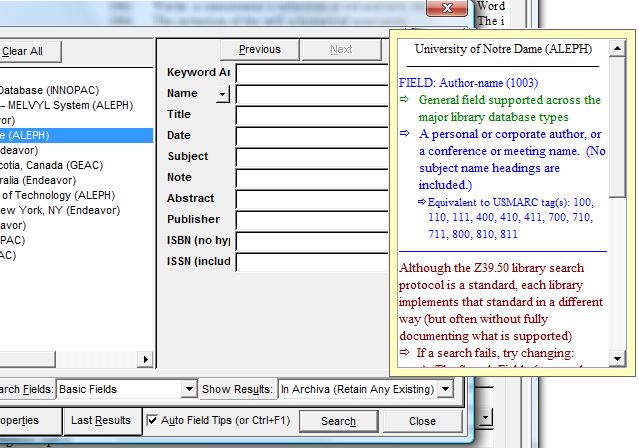
Archiva also helps you search efficiently by offering automatic tooltips describing the content of the field being searched. These tooltips—automatically activated unless turned off—provide:
The name of the library highlighted on the left
• But note that most searches will be over multiple libraries, each of which may support different fields
• In such cases, be sure to select a “general” field (described in green, as shown below)
The database type (there are a number of basic groups of z3950 libraries)
General z39.50 field data
Database-type-specific field info (if any)
Library-specific field info (if any)
General searching instructions
|