|
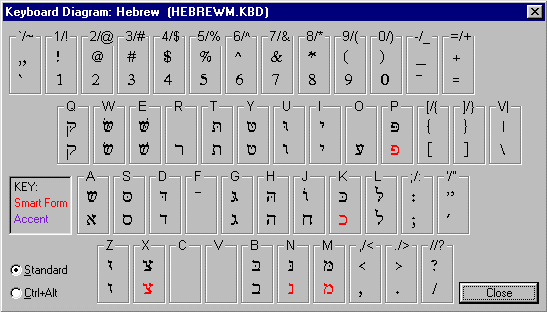
Pressing Shift+Ctrl+K while you are writing will display a
pop-up keyboard diagram showing the characters for the current
language in which you are writing.
In the Hebrew diagram, "Smart Form" characters are
displayed in red. These characters have varying forms that depend
on the character's position within a word -- Lingua automatically
inserts the correct character form within your document based
on the character's position! |