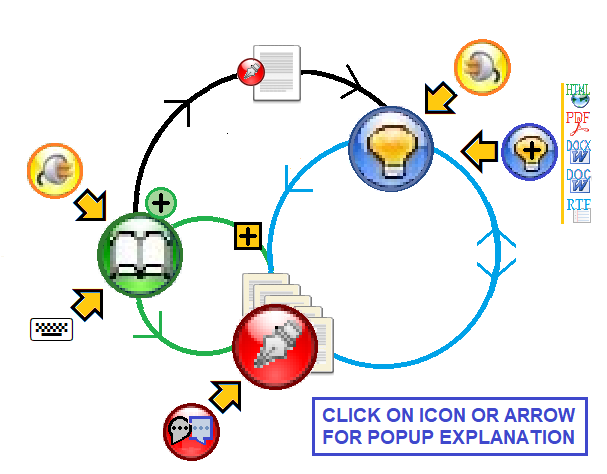
Nota Bene is a totally unique (there's nothing like it anywhere, on any platform), academically-focused, seamlessly integrated, research and writing system designed from the ground up to handle all aspects — referencing of sources, qualitative data analysis, writing simple or complex manuscripts, doing web research — of the research process for scholars in the humanities, arts, social sciences, and related fields. (And oh, lawyers love it too!)
Click any of the five icons below to find out more about this remarkable research tool.
WHAT'S IN IT FOR YOU?
Conducting research — and getting it published — is not for the faint-hearted.
Authors and publishers demand attention to detail throughout a project’s many interconnected parts.
Wouldn’t it be something if software would address this complex conjunction of needs though a single application, a single interface, and with all needed components coordinating in the same project?
Meet NOTA BENE, an integrated solution that unifies every scholarly task in a single suite.
— writing (of course, but see more)
— citation and reference management (of course,
but see more)
— search/retrieve/analyze text (tell me more)
— on-line research tools (several of them, see more)
There's never been a program like Nota Bene. Anywhere. Ever.
If you are a scholar in the humanities, arts, or social sciences, there's only one choice.
NOTA BENE. One Seamless Program.
For Everything You Do.
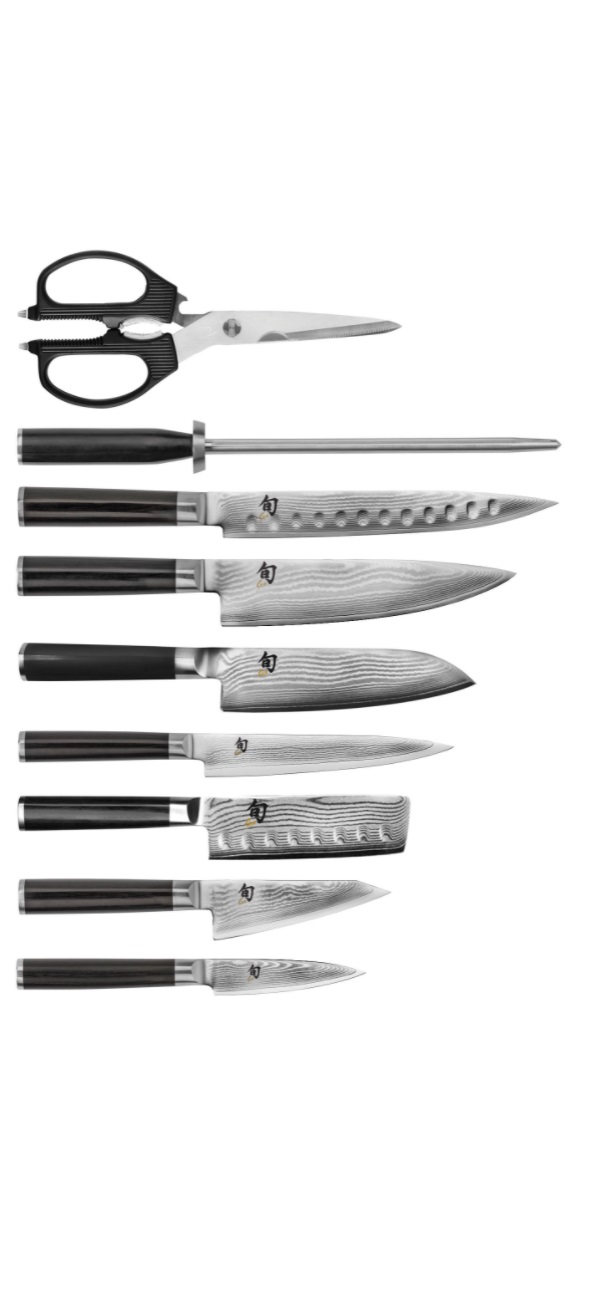
Some people use a single knife for everything.
But accomplished chefs know that cutting is an art, and there are carefully honed blades for specific tasks. And it's not only just the right knife that matters, it's vital that it be their knife — their chef's knife, their Santoku, their paring kinfe. That's why, when chefs go to cook in somebody else's kitchen, they wrap up their knives and take them with them.
That's the kind of tool that Nota Bene is. Although it does everything, it's definitely not a swiss-army knife. Instead, it's a series of highly-refined tools designed for specific scholarly tasks, each one crafted — with the precise heft and sharpness — to give you that perfect cut, the precise twist that you need to make your scholarship stand out.
And because all these Nota Been tools were designed as part of a seamlessly integrated unit, every one of them is comfortable — the finely-crafted handles are balanced just the right way to let you work confidently and efficiently, focusing, not on the indispensible tool that makes this all seem so easy, but on the task at hand — your research, your writing.
Nota Bene is the tool of the scholar's trade, making it possible for you to effortlessly produce something dazzling.
Note Bene’s word-processing component does fancy things no other program does — three independent series of footnotes (so you can create a critical edition of a medieval manuscript), more cross-referencing options than you can imagine, and professional back-of-manuscript indexing. When you add built-in academic styles, frameworks/outlines, academic research tables, and more, you'll discover that you have at your fingertips capabilities — geared to academic writing — that are simply not available anywhere else.
But it is in the simple things that Nota Bene excels. When you use the keyboard shortcut, or click the icon, to create a block-indented quote, everything is taken care of in this single operation — inter-paragraph spacing above and below the quote, margins, and internal line-spacing, even whether or not the paragraph subsequent to the quote should be indented or not — so you can simply continue writing. Our mantra is that your time should be spent in creating documents, not in formatting them.
With Lingua, you can add a full range of IPA characters, and support for the Greek, Arabic, Hebrew, and Cyrillic alphabets, in all Nota Bene modules.
Ibidem is Nota Bene's bibliography and citation manager, that formats citations in hundreds of different styles. It has been totally reworked for NB 13.
Orbis is unequalled in its abilities to search and retrieve all content. Its no-effort, no-tag, form-free coding/annotating speeds up search and retrieval of discriminate portions of documents. And once it's identified those elusive passages, you can expand the context, all the way up to the entire file, for single-key insertion into your open document. (If that fragment is from a note-taking file linked to an Ibidem record, that source will be automatically brought with it!)
Whether searching for words or phrases, alone or in Boolean combinations, Orbis can find what matters for you. Instantly.
With Orbis+ all PDF files, saved (HTML) web pages, and Word (DOCX/DOC/RTF) and other DOCX files on your computer can be part of your expanding knowledge base.
Everything you write in Nota Bene, or have accessible on your machine, can become part of this expanding circle — seeing how words are used, and arguments made, across thousands of documents, you then see things in a different light, and your reshaped argument/text itself becomes part of this — your — expanding knowledge base.
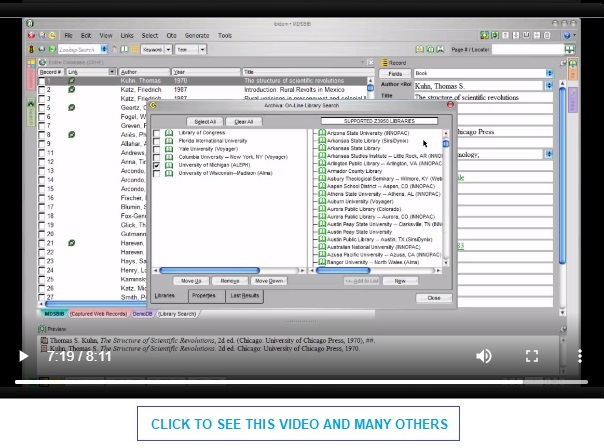
Nota Bene Archiva comes as a tool kit, designed primarily to cull research and resources from the Web. With Archiva, users bring records into Ibidem databases by different means:
from ISBN identifiers
from on-line catalogs at universities and research centers from around the world
from articles in on-line journal aggregators, such as JSTOR and Project Muse
convert formatted bibliographies into individual Ibidem records
A Program. A Company. A Community.
Nota Bene (the program) is not your usual program, and Nota Bene (the company) is not your usual company. And Nota Bene (the community) is not your ordinary kind of community.
In a world where so many software companies are trying to figure out how to maximize revenues by gathering data so that they can sell you more stuff (of the kind you already have), we remain committed to our original vision — creating software that provides the tools that help you explore territories you've not visited before, so you can open up new worlds to all of us.
Nota Bene began when one graduate student wanted research tools that would expand his intellectual reach, and we've been trying to make these ever-improving capabilities available to others for over a generaton. It's this singular dedication to figuring out what you need to do your work (we know, since we've done that work ourselves) — and our willingness to provide support when you have questions — that has led to the creation of what can only be called a genuine community of users. Whether someone is just a casual user, or a member of the "Friends of Nota Bene" (a group of a couple hundred scholars who have banded together to support the software they rely on with ideas, feedback, testing, and financial resources), you're part of a software community that stands out from the technological crowd.
The Road Less Travelled
We have never strayed from our original vision — meeting the needs of the academic community. It is our single partner, to which we are singularly dedicated. Don’t look to us to produce corporate communications (we can do them, but it’s not our strength), or colorful, slick brochures with lots of images (we can do them, too). But if you need to handle references based on unpublished manuscripts in historical archives, we’re here for you. If you relish discovering conceptual relationships from among numerous sources, we’re the ones for you. If texts give meaning to your student or professional lives, we are here to help you mine them.
We're constantly improving Nota Bene, adding capabilities designed to make your work easier, and more creative. We're not done. To see where we are headed, take a quick look at the recent past:
And everything always fits together seamlessly. Nota Bene applications are not plugins, they are not extensions. An upgrade to Nota Bene upgrades all components simultaneously. Users need not fear the disruptive effects of “leapfrogging” versions, in which a plug-in lags behind a software change.
Note Bene 13 runs on:
Computers running Microsoft Windows 7 and higher, including Windows 8, 10, and 11
Macs with Intel and M1 chips, with High Sierra (10.13) or higher, including Mojave, Catalina, and Big Sur
The Mac version comes with a bundled (no-cost) version of Crossover, a program that lets Windows programs run "as if they were designed native to the the Mac"
Nota Bene on the Mac is a single installation that both installs, and then runs, like other Mac applications, using the Finder dialog for all file management, and taking full advantage of Retina displays
Linux and Android computers that can run Wine. (Wine is a program that converts Windows functions to run on non-Windows systems, without requiring Windows.)
Note: users are responsible for installing Wine on their Linux or Android devices (we cannot offer technical support for this part of the process).
Nota Bene lets you use file synchronization programs (such as iCloud, OneDrive, Google Drive, Dropbox, etc.) to save all your Nota Bene work (files and databases) in the cloud, without any specific-to-Nota-Bene setup.